Published: 24 September 2026 | Updated: 24 September 2026
Key takeaway (TL;DR): The Google CC AI agent is Google Labs’ experimental household assistant. Since September 17, 2026, up to six family members can share one CC. It turns the emails and files they choose to share into a daily brief, calendar events, and a shared task list, and can fill out forms with their permission.
- Who can use it: Adults 18+ in the U.S. with a personal Google account, through an upgrade invite or the Google Labs waitlist.
- Bottom line for businesses: Don’t use CC for company data. Copy its design instead: its own identity, an isolated runtime, opt-in access, and separate shared and personal memory.
A look at Google Labs’ new household AI agent, how it works, and what it could mean for families, business owners, and IT teams.
Every family runs something that looks a little like a small business.
There are schedules to manage, appointments to remember, forms to complete, shopping to do, and a never-ending list of small tasks that somehow become one person’s responsibility.
A school newsletter says a field trip form is due Friday. The soccer schedule changes in a group email at 9:47 p.m. The vet sends a reminder to one parent’s inbox, while the other parent never sees it.
None of these things is particularly difficult. The problem is that the information is spread across different inboxes, calendars, documents, and messages. Someone usually ends up keeping track of everything.
What Is Google CC?
Google thinks an AI agent can help with that.
On September 17, 2026, Google Labs expanded CC, its experimental AI agent, from a personal assistant into an agent that can be shared by the entire household.
I have spent years looking at software products that promise to make people’s lives easier. What makes CC interesting is that it is not just another place to store information or write down tasks. It is trying to coordinate information and people and then take action on that information.
From a Morning Email to a Family Agent
CC is not a completely new product.
It started in late 2025 as a single-user Google Labs experiment that generated a morning “Your Day Ahead” briefing using information from Gmail, Calendar, and Drive. In May 2026, the idea moved into the Gemini app as Daily Brief.
The September release changes the product quite a bit.
Up to six family members can now share one CC, and the agent can do more than summarize information. It can actually act on it.
That is an important difference.
A useful household assistant should not just tell you that something needs to be done. Ideally, it should help you get it done.
What Does the Google CC AI Agent Actually Do?
In short, it collects what family members share, turns it into a shared daily brief, calendar entries and tasks, and handles some of the follow-up work itself.
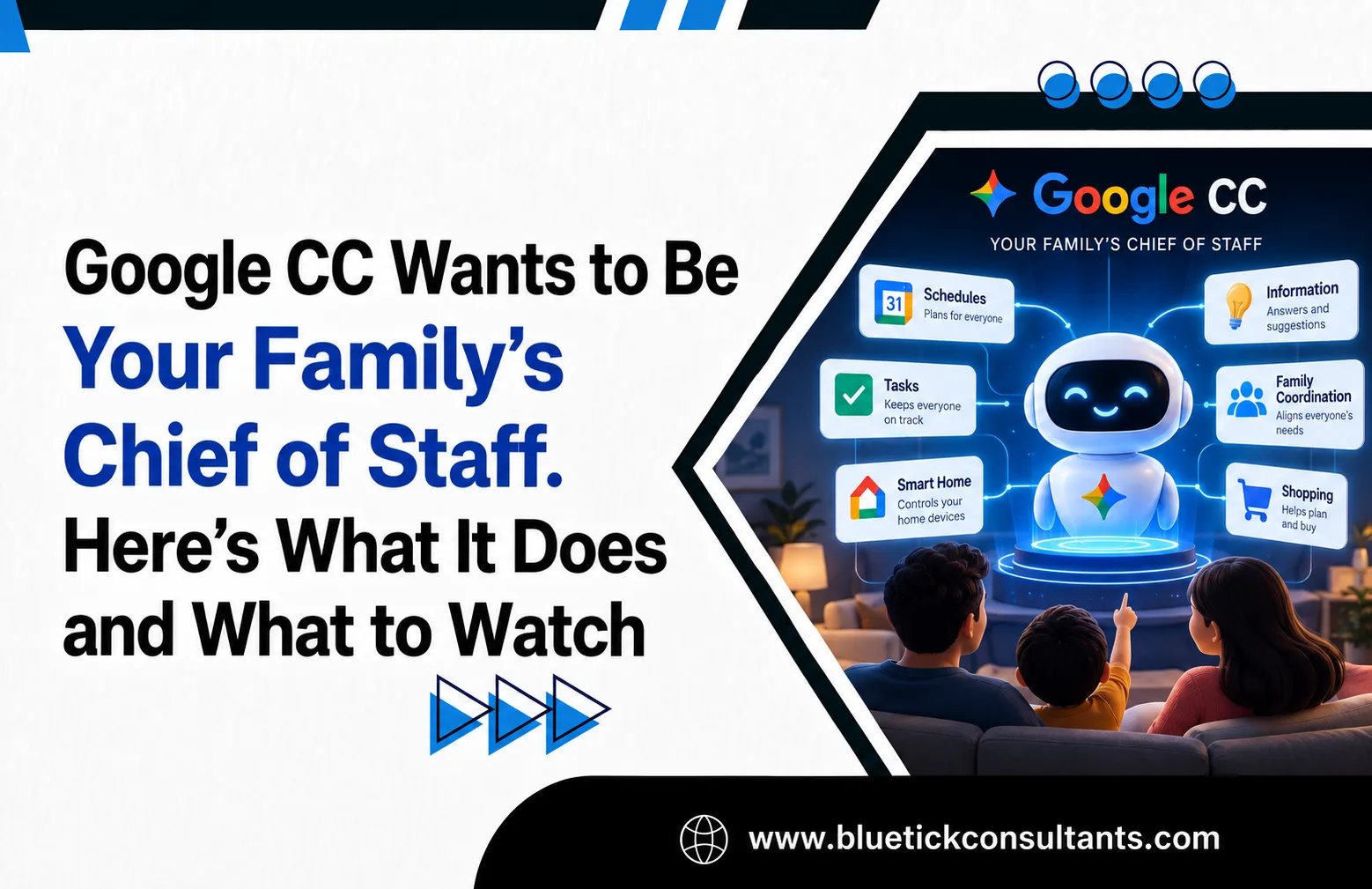
According to Google’s announcement, CC takes the information a family shares with it and organizes it into three main areas:
- A shared “Your Day Ahead” brief that shows who needs to be where and what is still pending.
- Calendar entries that are created and updated automatically as plans change.
- A shared task list with to-dos extracted from emails and documents.
It can also handle some tasks itself, with your permission. This is where CC starts to look more like an agent than a traditional family organizer.
For example, it can:
- Fill out permission slips and activity registration PDFs
- Create school-supply shopping lists
- Plan weekly meals
- Work out drive times between back-to-back activities
- Create shared Google Docs and Sheets
- Ask family members for missing information when something is unclear
Here is a simple example.
A school sends a permission-slip PDF to one parent’s inbox. CC can read the document, identify the field trip, add it to the family calendar, create a “sign form” task, fill out the relevant parts of the form, and mention it in the next morning’s briefing.
The other parent does not need to find the original email and forward it manually.
That is where the agent approach becomes useful.
Under the Hood: An Agent With Its Own Identity
As someone who writes about technology and systems, I find the architecture behind CC particularly interesting.
1. CC Has Its Own Google Account
CC is not simply a feature running invisibly inside a user’s account.
It has a verified Google identity of its own. When it appears in an inbox or a Chat thread, it is shown as a separate participant.
That is a useful design choice for an AI agent.
If an agent sends an email, changes a calendar event, or creates a document, users should be able to see that the action came from the agent. It makes the system easier to understand and gives users a clearer record of what happened.
2. It Runs on an Isolated Cloud Computer
Each CC instance runs in its own sandboxed cloud environment, powered by Gemini models and Antigravity, Google’s agentic harness.
Isolation matters when an agent is handling personal information.
A household agent could potentially deal with school information, appointments, family schedules, and other sensitive data. Keeping the agent’s environment isolated can help limit the impact if something goes wrong.
3. It Has Group Memory
CC separates information shared by the household from information that belongs to an individual family member.
| Household Memory | Individual Memory |
| Shared grocery list | One member’s dietary restrictions |
| Favorite family restaurants | A member’s time zone |
| Recurring family events | Personal scheduling constraints |
This may sound like a small feature, but it solves a real problem for shared AI systems.
A family assistant needs to know what information is useful to everyone and what information only applies to one person.
For example, one family member’s dietary restrictions may matter when planning dinner for everyone. Their work travel schedule may not need to become part of the entire household’s context.
Can Google CC See Everything in Your Inbox?
CC does not automatically get access to everyone’s complete inbox.
Google says that “CC only sees what each member chooses to share.”
There are three ways to share information with CC:
- Forward manually. Send a specific email, text, Drive folder, or calendar invitation to CC’s address. The name is quite literal. You can simply CC the agent.
- Auto-CC trusted senders. Choose senders such as a school district, sports club, or airline whose messages should automatically go to CC.
- Approve new senders weekly. CC can suggest new senders that it could track, and family members can approve or decline them.
Each family member controls their own sharing. CC also only responds to group members, and Google says it will not take action or share information outside the group without a member’s permission.
That is a reasonable approach for a shared assistant because it does not require everyone to give the agent unrestricted access.
There is still something families need to think about.
Once someone shares information with a shared household agent, that information becomes part of the context available to the household assistant. Families should be comfortable with that before automatically sharing messages from particular senders.
The Limitations
CC is still a Labs experiment, and there are several limitations worth knowing about.
- U.S. only for now.
- Adults only, 18+, and a personal Gmail account is required. Teens cannot join, even though they may have some of the busiest schedules in the household.
- School-issued accounts are not supported. This is notable because many schools use Google Workspace for Education. Messages from those accounts have to be forwarded from a parent’s personal account.
- Waitlist access. Existing CC users receive an upgrade invitation. Other users can join the waitlist through Google Labs.
- No pricing has been announced. Google has not said whether CC will remain free, become part of a Google One AI plan, or eventually become a separate product.
These limitations are important because they show where CC stands today.
It is an experiment with a fairly narrow audience, not yet a general-purpose household platform.
The Competition
Google is not the first company trying to solve this problem.
Startups such as Ollie, which focuses on privacy, and Fambot, which describes itself as an AI chief of staff for families, are working on similar problems. Earlier family-organizing products such as Ohai.ai have also tried to make household coordination easier.
Google has one obvious advantage.
It already has many of the services a household agent needs, including Gmail, Calendar, Drive, and Maps.
A startup has to convince users to connect all of those services. Google already has them.
There is a tradeoff, though. Using CC means putting even more of a family’s day-to-day information into Google’s ecosystem.
What This Means for Business Owners and IT Teams
CC is a consumer product. Google has positioned it around personal Gmail accounts and households of up to six people. Workspace accounts are not currently supported.
So why should business owners and IT teams pay attention?
Because several of the ideas behind CC can also be applied to business automation.
1. Founders and Small-Business Owners Can Use It for Home Logistics
For many small-business owners, personal and work schedules are closely connected.
A child’s sports practice can determine when a supplier meeting can happen. A missed school form can consume an afternoon. A family appointment can affect the rest of the working day.
Using CC for the home side of that equation can help reduce some of that administrative work.
The important boundary is simple.
Use CC for family logistics, not customer or company data.
Invoices, customer emails, contracts, payment information, and other confidential business information should not be sent to a consumer AI experiment.
2. Copy the Auto-CC Pattern for Business Workflows
The most interesting idea in CC may not actually be the AI.
It is how information gets into the system.
The agent receives information from the places where that information already arrives. Nobody has to type the same information into another system.
Businesses can use the same idea.
| Family Use in CC | Business Equivalent |
| Auto-CC the school district | Automatically forward vendor invoices to a shared accounts-payable inbox so an AI can identify due dates |
| “Your Day Ahead” family brief | A daily team brief containing deliveries, follow-ups, and meetings |
| Filling out permission slips | Pre-filling onboarding documents, vendor registrations, and compliance checklists |
| Drive time between activities | Route and schedule planning for field staff, deliveries, and service calls |
| Shared grocery list | Shared inventory and stock-reorder list |
There is no need to wait for a product called “CC for Business.”
The Gemini features available through Google Workspace, Microsoft 365 Copilot, and automation platforms such as Zapier and Make can already implement many of these workflows when configured with the right business controls.
The important idea is the workflow, not the product name.
3. Use the Architecture as a Blueprint for Your Own AI Agents
If your IT team is building or evaluating AI agents, CC has several design choices worth studying.
Give the agent its own identity.
CC has its own verified account instead of silently using a user’s identity. Business agents should follow a similar model by using dedicated service accounts or identities. That makes it easier to trace and audit actions such as emails, calendar changes, and document updates.
Isolate where the agent runs.
CC runs in an isolated cloud environment. Business agents should also operate in environments with limited permissions rather than having unrestricted access to shared infrastructure.
Make access opt-in and scoped.
CC only sees information that users choose to share. The same least-privilege principle should apply to business agents. An agent responsible for processing invoices should not automatically have access to HR documents.
Keep shared and personal memory separate.
CC separates household information from individual context. Business agents should do something similar. Company-wide information such as price lists and standard operating procedures can be shared broadly, while personal sales notes or private customer information should remain appropriately restricted.
These are practical design principles for any organization building agent-based systems.
4. Your Customers’ AI May Read Your Emails First
This is one of the changes businesses may overlook.
When AI agents start reading and organizing household email, your customer’s AI may process your message before the customer does.
That means businesses are increasingly writing emails for two audiences.
The first is the person receiving the email.
The second is the AI system helping that person organize their life.
This makes basic email structure more important.
Businesses should consider a few simple practices:
- Put dates, times, and locations in plain text, rather than relying only on images or designed banners.
- Attach calendar invitations (.ics) to appointments and events where appropriate.
- Use fillable PDFs instead of scanned forms when customers need to complete documents.
- Use clear subject lines, such as “Appointment confirmed: Tuesday, October 6 at 3:00 PM,” instead of vague subject lines.
- Keep one main action per message whenever possible. It is easier for an AI agent to identify a task when the email has a clear purpose.
If your email is easy for an AI agent to understand, it has a better chance of becoming an actionable item in your customer’s workflow.
If the information is buried inside images, unclear subject lines, or long blocks of text, the agent may not be able to extract the right action.
5. IT Teams Should Plan for “Shadow Agents”
Consumer AI agents are becoming easier to use.
That also means employees may be tempted to forward work information to personal AI tools, especially when they are managing both personal and work schedules.
IT and security teams should address this before it becomes a problem.
Update acceptable-use policies
Company policies should clearly explain whether employees can forward company information to personal AI services and what types of information are prohibited.
Use DLP controls
Data loss prevention tools can help identify or block automatic forwarding of corporate information to external addresses and services.
Provide an approved alternative
Employees often use unofficial tools when the official tools do not solve their problems.
Providing an approved AI assistant with appropriate enterprise controls can reduce the temptation to move sensitive information into consumer AI products.
Frequently Asked Questions About Google CC
What is Google CC?
Google CC is an experimental AI agent from Google Labs that works as a shared assistant for families and households. It has its own verified Google account and turns what members share into a daily “Your Day Ahead” brief, calendar events, and a shared task list.
How many people can share one CC?
Up to six household members can share one CC. Each member must be 18 or older and use a personal Google account.
Can Google CC read my entire Gmail inbox?
No. CC only sees what each member chooses to share. Members can forward individual emails or files, auto-share messages from trusted senders, and approve new senders from a weekly list.
Who can use Google CC right now?
CC is available on web and mobile to adults in the U.S. with a personal Google account. Existing CC users receive an upgrade invitation by email, and new users can join the waitlist through Google Labs.
Can businesses use Google CC with Google Workspace accounts?
No. CC currently supports personal Google accounts only. Businesses can apply the same auto-forwarding and daily-brief patterns using Gemini in Google Workspace, Microsoft 365 Copilot, or automation platforms such as Zapier and Make, configured with business controls.
My Take
After years of watching family organizer apps launch and disappear, one thing stands out.
These products usually do not fail because they lack features.
They fail because someone still has to keep them updated. Most of the time, that person is the same person who was already responsible for keeping track of everything.
That is why the auto-CC model is the part of CC that I find most interesting.
Information reaches the agent from the places where it already arrives. Nobody has to enter the same information again into another application.
The technical design is also worth watching.
A separate identity, an isolated runtime, opt-in information sharing, and separate shared and individual memory are all useful ideas when building AI agents.
CC still has obvious limitations. It is currently limited to the U.S., requires personal Gmail accounts, excludes users under 18, does not support school-issued accounts, and has no announced pricing.
What Businesses Should Take Away From CC
For business owners and IT teams, the takeaway is not to sign the company up for CC. That is not what the product is designed for.
The bigger takeaway is to watch how Google is building it.
CC is an interesting example of how AI agents can move beyond answering questions and start managing information and taking actions on a user’s behalf.
There is another change businesses should pay attention to.
Your customers’ AI systems are starting to become part of the interface between your business and your customers.
That means internal AI agents need strong identity, isolation, permissions, and clear memory boundaries.
It also means customer communication needs to be structured in a way that both people and machines can understand.
If you’re the parent who always knows when picture day is, CC may be worth watching.
If you run a business or IT team, the architecture behind it may be even more interesting than the household features.